No-Code RDF Knowledge Graph: Practical Guide
Table of Contents
- Introduction
- How No-Code RDF Builds a Knowledge Graph
- How Ontologies Give a Knowledge Graph Meaning
- A Practical No-Code RDF Workflow
- Using a Visual Knowledge Graph and SPARQL Without Code
- RDF Data Quality Checks Before You Trust the Knowledge Graph
- Practical No-Code RDF Knowledge Graph Applications
- Limitations and When Custom Engineering Is Required
- Knowledge Graph Production Readiness Checklist
- Conclusion
- Introduction
- How No-Code RDF Builds a Knowledge Graph
- How Ontologies Give a Knowledge Graph Meaning
- A Practical No-Code RDF Workflow
- Using a Visual Knowledge Graph and SPARQL Without Code
- RDF Data Quality Checks Before You Trust the Knowledge Graph
- Practical No-Code RDF Knowledge Graph Applications
- Limitations and When Custom Engineering Is Required
- Knowledge Graph Production Readiness Checklist
- Conclusion
Introduction
A no-code RDF knowledge graph lets a team connect customers, products, documents, suppliers, or research data without manually programming every change and query. Visual tools handle much of the RDF generation, ontology editing, mapping, validation, and graph exploration. That removes a technical barrier, not the architecture work. Someone still has to define what each entity means, choose stable identifiers, resolve duplicates, and decide which data is trustworthy.
This guide covers how no-code RDF, ontology design, SPARQL, and visual interfaces fit together, including practical workflows, applications, data-quality controls, and when custom engineering is needed. The goal is a graph that remains understandable when real data and operational constraints arrive.
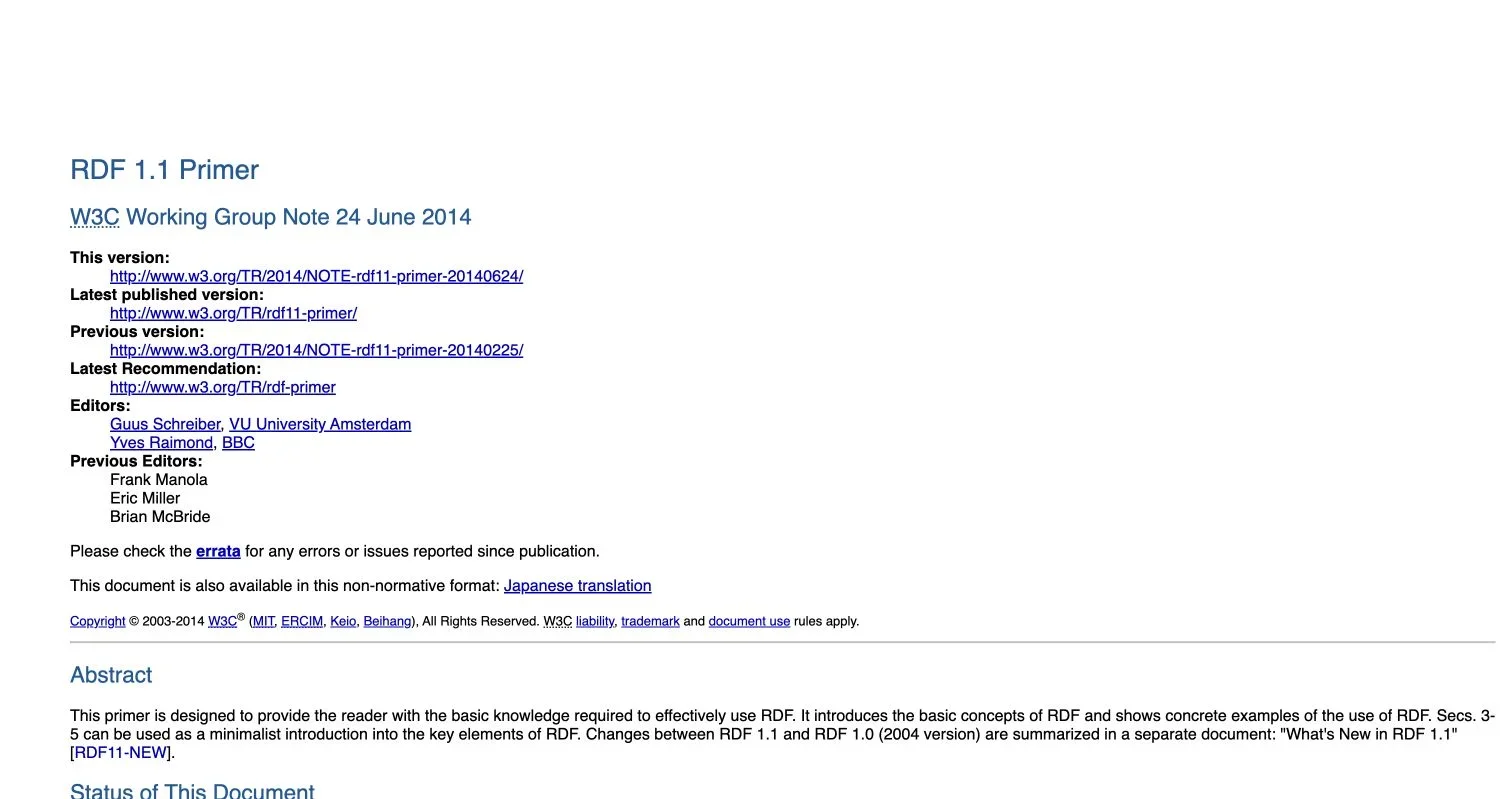
Source page reviewed in Chrome during article research. Follow the image link for the current page.
How No-Code RDF Builds a Knowledge Graph
RDF represents information as a directed, labeled graph. According to the W3C RDF 1.1 Primer, its basic unit is a triple composed of a subject, predicate, and object. “Product 42 is supplied by Acme” becomes:
- Subject: a stable identifier for Product 42
- Predicate: a relationship such as
suppliedBy - Object: a stable identifier for Acme
The object can be a literal value. For example, “Product 42 has price 79.00” connects the product to a decimal instead of another entity. Many RDF triples together form the knowledge graph.

A no-code RDF platform generates these RDF triples from forms, spreadsheets, database mappings, or visual diagrams. Users manipulate business concepts while the platform writes Turtle, JSON-LD, or other RDF serializations.
That abstraction is useful, but the generated RDF triples still deserve inspection. A visual arrow can conceal a reversed relationship, an unstable identifier, or a value stored as text when it should be a date. Understanding the subject-predicate-object model remains worthwhile even without writing Turtle.
How Ontologies Give a Knowledge Graph Meaning
An ontology defines the shared concepts and relationships used by a knowledge graph. It can say that Customer is a class, placedOrder is a relationship, and orderDate expects a date value. It may also define subclasses, inverse properties, domains, ranges, and logical rules.
Most knowledge graph projects should reuse ontologies before inventing them. Established vocabularies make data easier to exchange and reduce arguments over familiar concepts. Common starting points include:
 Schema.org for organizations, people, products, events, and web content
- SKOS for taxonomies and controlled vocabularies
- Dublin Core for document and resource metadata
- PROV-O for provenance, activities, and attribution
A custom ontology makes sense when existing vocabularies cannot cleanly express business concepts. A manufacturer might need approvedForMachineSeries; a SaaS company might need entitledBySubscriptionPlan.
| Ontology decision | MVP approach | Production-ready approach |
|---|---|---|
| Vocabulary | Reuse a small recognized vocabulary | Document reused and custom terms with ownership |
| Identifiers | Generate predictable test IRIs | Establish permanent IRI and redirect policies |
| Constraints | Add required fields in the UI | Express testable constraints with SHACL |
| Change control | Edit the model directly | Version, review, migrate, and communicate changes |
My bias is to keep the first ontology almost uncomfortably small. Every class and property creates maintenance, and speculative modeling is expensive.
A Practical No-Code RDF Workflow
A sound no-code RDF workflow starts with a question, not a diagram. “Show all suppliers affected by a component recall” is testable. “Create an enterprise knowledge layer” is too vague to guide modeling or acceptance tests.
-
Define the use case and competency questions. Write five to ten questions the graph must answer. Identify who will ask them and how current systems fall short.
-
Inventory source data. Record the owners, update frequency, identifiers, formats, and known defects for each database table, API, spreadsheet, or document collection.
-
Model a narrow ontology. Create only the classes, relationships, and properties required by the competency questions. Reuse established terms where their meanings fit.
-
Map source fields visually. Connect columns or API fields to ontology properties. Define identifier templates, data types, relationship directions, and handling for missing values.
-
Generate and inspect RDF triples. Preview representative records before the full import. Check both the visual knowledge graph and a serialized RDF sample.
-
Validate and query. Apply SHACL constraints, then run representative SPARQL queries. Record expected counts and known edge cases.
-
Publish with operational controls. Configure access, backups, monitoring, refresh schedules, and model versioning before other systems depend on the graph.
This sequence works with drag-and-drop mapping or AI suggestions. AI can propose mappings, but a domain owner should approve their meaning.
Using a Visual Knowledge Graph and SPARQL Without Code
A visual graph simplifies relationship inspection. Users can select a class, expand neighboring nodes, filter properties, and follow paths without reading raw RDF. This helps find unexpected connections and explain models to stakeholders.
A visual query builder typically translates those actions into SPARQL, the W3C query language for RDF. The SPARQL 1.1 Overview covers specifications for querying and manipulating graph content. A user might choose Supplier, follow suppliesComponent, filter by a recalled component, and request affected products; the tool generates the graph patterns and filters.
| Query method | Best fit | Main limitation |
|---|---|---|
| Visual exploration | Learning the graph and inspecting individual paths | Results can become unreadable with thousands of nodes |
| Visual query builder | Repeatable filters and common multi-hop questions | The interface may expose only a subset of SPARQL |
| Handwritten SPARQL | Aggregation, federation, updates, and optimization | Requires specialist knowledge and testing |
| Application API | Product features and controlled user experiences | Needs custom code, authentication, and monitoring |
Visual exploration should never be the only acceptance test.
A plausible graph can contain thousands of duplicates. Use SPARQL to measure completeness, count unexpected classes, detect disconnected records, and compare graph totals with source-system totals.
When possible, save production queries’ generated SPARQL. Review it after ontology changes and test response time against realistic data volumes.
RDF Data Quality Checks Before You Trust the Knowledge Graph
Data quality in RDF goes beyond valid syntax. A valid file can represent the wrong entity, use inconsistent units, or reverse a relationship. Quality gates should cover structure, meaning, and operational freshness.
W3C’s Shapes Constraint Language standardizes validation of RDF data against a shapes graph. SHACL can check value types, required counts, permitted classes, patterns, ranges, and other conditions. A product shape might require one SKU, at least one name, and a nonnegative decimal price.
| Item | What to check | Why it matters |
|---|---|---|
| Identifiers | Missing, unstable, or reused IRIs | Bad identity rules create duplicates and false links |
| Required values | Missing names, dates, owners, or categories | Incomplete nodes weaken queries and interfaces |
| Data types | Dates, numbers, language tags, and units | Text values sort and compare differently from typed values |
| Relationships | Direction, permitted classes, and cardinality | A plausible-looking edge can still reverse the intended meaning |
| Reconciliation | Counts and totals against source systems | Detects dropped or multiplied records |
| Freshness | Last successful load and source timestamp | Prevents stale results from appearing current |
Validate a representative sample during mapping and every production load.
Classify violations by severity: some block publication; warnings enter a review queue. Keep the validation report and load identifier to diagnose failed imports.
Practical No-Code RDF Knowledge Graph Applications
No-code RDF works best for bounded workflows whose sources and relationships are awkward to manage in tables.
-
Product catalog consolidation: A retailer maps supplier spreadsheets and its commerce database to shared Product, Brand, Offer, and Category concepts. The graph connects duplicate supplier records through approved identifiers, while SHACL rejects offers without currency or valid prices.
-
Customer support context: A SaaS team connects organizations, subscriptions, incidents, help articles, and product modules. An operator can start from a customer and visually follow relationships to open incidents or relevant documentation. Sensitive fields remain in the source system rather than being copied by default.
-
Manufacturing impact analysis: A manufacturer models parts, assemblies, suppliers, plants, and certifications. A SPARQL path query identifies every assembly affected by a recalled part, including indirect dependencies that would require several relational joins.
-
Research and content discovery: A publisher connects authors, topics, organizations, datasets, and articles. SKOS concepts provide a controlled topic hierarchy, helping users find material even when writers used different labels.
In each example, the graph unifies references while source applications retain their original jobs. This is often safer than replacing every system with a graph database.
For an MVP, choose one workflow, two or three sources, and a few thousand representative records. Before expanding, measure accuracy, mapping effort, query latency, validation failures, and reviewer time.
Limitations and When Custom Engineering Is Required
A no-code RDF workflow is not constraint-free. Platforms may limit ontology customization, transformation expressions, SPARQL features, automated testing, deployment topology, or access-control models. Vendor lock-in worsens when mappings and visual queries lack standard-format exports.
Before choosing a tool, test the exit routes:
- Export the ontology and data in standard RDF formats.
- Inspect or export generated SPARQL and SHACL.
- Confirm that mappings can be versioned outside the platform.
- Measure imports and queries using production-scale samples.
- Review authentication, authorization, audit logs, encryption, and backup controls.
- Check whether failed loads can be retried without duplicating triples.
Custom engineering is justified for high-volume or real-time ingestion, complex transformations, or customer-facing query latency. It is also warranted for unusual reasoning, row- or relationship-level security, regulated deployment environments, and integrations that need reliable queues, retries, and observability.
A hybrid design is often sensible. Business users maintain parts of the ontology and mappings visually, while engineers own connectors, test suites, deployment pipelines, and tuned SPARQL. The boundary should follow operational risk. A quarterly report mapping needs different controls than one driving permissions or financial decisions.
Knowledge Graph Production Readiness Checklist
A prototype answers a question; a production graph must remain correct through source changes, late records, and ontology revisions.
| Item | What to check | Why it matters |
|---|---|---|
| Ownership | Named owners for sources, ontology terms, and mappings | Unowned semantics decay quickly |
| Version control | Exportable ontology, shapes, mappings, and queries | Enables review, rollback, and reproducible releases |
| Testing | Fixture data, expected triples, SHACL gates, and query assertions | Detects semantic regressions before publication |
| Observability | Load duration, triple counts, failures, latency, and freshness | Makes silent data loss visible |
| Security | Least privilege, audit history, secret management, and graph partitioning | Graph connections can expose more context than isolated tables |
| Recovery | Backups, restore tests, idempotent imports, and rollback procedures | A backup has little value until restoration is proven |
| Portability | Standard RDF, SPARQL, and SHACL exports | Reduces platform dependency |
Set measurable release gates. Require zero blocking SHACL violations, reconcile entity counts within an explained tolerance, and test the ten most important queries against fixed results. Performance targets should use percentile latency and realistic concurrency, not one fast demo query.
Teams may lose patience here, but routine controls turn a workshop artifact into dependable infrastructure.
Conclusion
A no-code RDF platform removes much of a knowledge graph’s syntax and plumbing. Visual modeling defines the domain, mappings generate RDF triples, visual exploration helps people inspect connections, SPARQL answers repeatable questions, and SHACL provides machine-readable data-quality gates.
Reliable RDF’s hard parts remain human and architectural: stable identity, precise meaning, source ownership, data quality, security, testing, and change management. Start with a narrow use case and an intentionally small ontology. Validate generated triples, reconcile them with source systems, and confirm that the platform can export standard RDF, SPARQL, and SHACL assets.
Use no-code for rapid modeling and collaboration. Add custom engineering when volume, latency, complexity, security, or reliability demands it. That balance produces an evolvable graph without pretending configuration eliminates engineering.
Frequently Asked Questions
How small should the first no-code RDF project be?
Start with one measurable workflow, two or three data sources, and a representative dataset of a few thousand records. Expand only after confirming mapping accuracy, validation results, query performance, and the time required for human review.
How should stable identifiers be created for entities?
Base identifiers on durable business keys rather than row numbers, labels, or temporary system values. Document how identifiers are generated, merged, redirected, and preserved when source systems change so the graph does not accumulate duplicates or broken links.
Should all source-system data be copied into the knowledge graph?
No. Include only the data needed to support the graph’s approved use cases, especially when records contain sensitive or frequently changing fields. The graph can connect references while authoritative details remain protected in their original systems.
What should happen when an import fails validation?
Blocking violations should prevent publication, while lower-risk warnings can enter a review queue. Preserve the validation report and load identifier, then retry through an idempotent process that will not create duplicate triples.
How can a team tell whether a no-code RDF platform will scale?
Test imports and representative queries with production-sized samples rather than relying on a small demonstration. Measure load duration, query latency under realistic concurrency, validation throughput, failure recovery, and graph freshness.
Who should own the ontology and mappings?
Domain owners should approve the meaning of concepts and relationships, while technical owners manage identifiers, integrations, testing, and releases. Every source, ontology term, and mapping should have a named owner responsible for reviewing changes.
How can vendor lock-in be reduced?
Confirm that the platform exports data and ontologies in standard RDF formats and allows access to generated SPARQL, SHACL, and mappings. Store exportable assets in version control and periodically test whether they can be used outside the platform.
Do I need to understand RDF syntax to build a no-code knowledge graph?
No. Visual tools can generate RDF while you model entities, relationships, and properties through forms or diagrams, although understanding the subject-predicate-object structure described in the W3C RDF 1.1 Primer helps you review the results.
What is a practical workflow for creating a knowledge graph without code?
Start with a focused use case, identify the main entities and relationships, and reuse established vocabularies where possible. Import or map the source data, validate the generated triples, inspect the graph visually, and test representative SPARQL queries before publishing it.
Should I create a new ontology or reuse an existing one?
Reuse recognized vocabularies that adequately describe your domain to improve consistency and interoperability. Create or extend an ontology only for concepts and rules that are genuinely specific to your organization or use case.
Can I use SPARQL without writing queries manually?
Many no-code platforms provide visual query builders that translate selected entities, relationships, and filters into SPARQL. They suit common searches, but federated queries, advanced aggregation, and performance tuning may require direct SPARQL knowledge.
How should I check data quality before relying on the graph?
Check for missing identifiers, invalid values, duplicate entities, inconsistent relationship directions, and mappings that produce unexpected triples. Use constraint validation, sample SPARQL queries, and manual review of representative paths.
What are the main limitations of no-code knowledge graph tools?
No-code tools can restrict ontology customization, transformation logic, query complexity, automation, and deployment options. Large datasets may expose performance, version-control, collaboration, or vendor-lock-in limitations hidden by small prototypes.
When is custom engineering required?
Custom engineering is usually justified when you need high-volume ingestion, real-time updates, unusual data transformations, advanced reasoning, strict security controls, or integration with internal systems. It also fits when generated SPARQL needs optimization or the platform lacks reliable testing, observability, and deployment automation.